

A U.S.-based company in the renewable energy sector developed this internal operational platform to manage large-scale solar infrastructure projects.
The organization operates across thousands of active projects and relies on Microsoft Dynamics 365 as its primary system of record.
As the company scaled its operations, its internal systems and processes struggled to keep pace with the growing complexity. At the center of the ecosystem, Microsoft Dynamics 365 served as the primary system of record, storing all critical business data.
However, while robust as a data repository, it wasn't designed to support day-to-day operational workflows. Teams working across various departments found it difficult to efficiently access and interpret the data they needed.
Over time, data ingestion and processing became distributed across multiple services, including serverless functions, virtual machines, and standalone scripts. It resulted in a fragmented architecture without a unified monitoring or governance layer. The system became increasingly difficult to maintain, troubleshoot, and scale, especially as data volumes and the number of integrations continued to grow.
AlthoughDynamics CRM remained the single source of truth, its structure posedchallenges for non-technical users. Data was spread across multiple relatedentities, often requiring users to navigate complex relationships to locatespecific information. As a result, routine tasks consumed time and reliedheavily on technical teams for data extraction and validation.
A significant portion of the data relied on manual input, which led to inconsistencies, missing records, and outdated information. At the same time, there was no clear mechanism to validate data completeness or detect anomalies early. This lack of visibility reduced trust in the data and introduced risks into operational and financial decision-making.
Several core processes depended on combining data from multiple sources with different structures and timelines. The main difficulty wasn’t in implementing these processes technically, but in correctly modeling the relationships between data and ensuring accurate, reliable logic.
As the organization expanded, many workflows remained manual and fragmented. Teams spent significant time tracking invoices through email, monitoring procurement statuses across systems, and following up on meeting outcomes without structured support.
The lack of automation not only slowed down operations but also limited the organization’s ability to scale efficiently. Together, these challenges created a gap between the available data and the company’s ability to effectively use it in day-to-day operations, highlighting the need for a more unified, scalable, and user-friendly solution.
To address the growing complexity of data, processes, and day-to-day operations, the team designed and implemented a two-layer solution combining a centralized data platform with a custom-built operational application. The goal wasn’t to replace Microsoft Dynamics 365, but to build a scalable system around it to unify data, simplify access, and automate key workflows.
The team started by redesigning the data architecture from the ground up, leaving behind fragmented ingestion processes in favor of a unified, maintainable system. They gradually migrated existing scripts and services into structured pipelines and introduced a Lakehouse-based architecture built on Microsoft Fabric. This brought data from multiple sources under one roof: ingested, stored, and processed within a single environment, significantly improving both consistency and observability.
The platform was organized as a multi-workspace Microsoft Fabric environment with a custom CI/CD approach that supported controlled deployments across development and production workspaces. To improve operational visibility, the team implemented a custom monitoring and alerting solution using KQL and Eventhouse, enabling automatic notifications about failed pipeline and notebook runs directly into Microsoft Teams channels.
The solution relied heavily on Fabric Dataflows, Spark notebooks, and orchestration pipelines for ingestion, transformation, and data processing workloads. In parallel, the team adopted Data Build Tools (DBT) together with the Lakehouse architecture to standardize transformations, improve data modeling practices, and simplify dependency management across analytical datasets. This approach improved scalability, maintainability, and collaboration between engineering and analytics teams while establishing a more reliable foundation for future data initiatives.
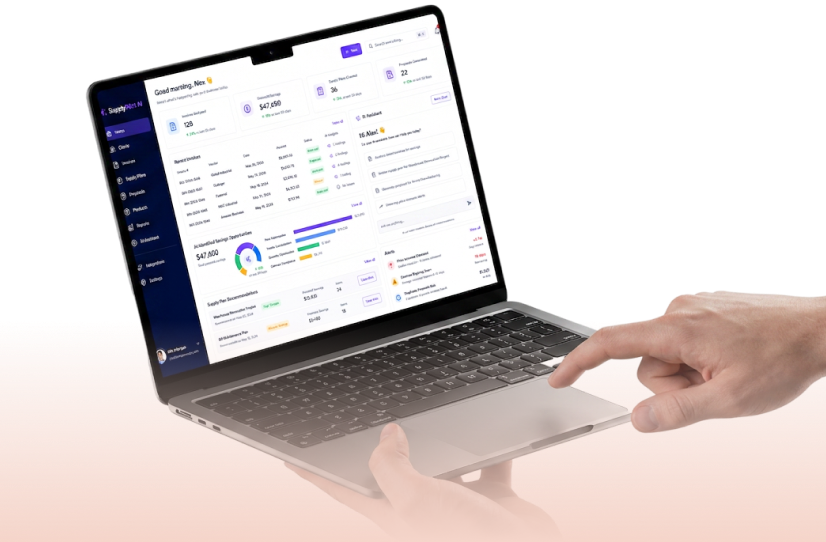
On top of the data platform, we developed a custom internal application designed to serve as a unified interface for operational teams. The application provides a simplified, role-based view of data, tailored to specific user needs. Now stakeholders can access relevant information without navigating multiple systems or understanding underlying data structures. The platform aggregates data from Dynamics 365 and other sources, combining it into structured views that support faster decision-making and reduce reliance on technical teams.
To support key business workflows, we introduced a set of dedicated modules, each focused on a specific operational domain:
We integrated AI capabilities selectively to optimize routine workflows:
We handled automation through Power Automate and Azure-based event triggers, enabling the platform to react to changes in Microsoft Dynamics 365 data in near real time. Also, our set up data synchronization and background processing through Azure Data Factory pipelines and Azure Functions. These components handled scheduled updates, data transformations, and integrations across systems.
To keep the system reliable, we built in logging for pipeline runs, sync jobs, and AI tasks, making it easy to track execution status and detect failures early. We also delivered an admin interface that provided visibility into module usage and user activity, helping the team understand how the system was used in practice.
Finally, the access control follows role-based principles, so each user saw only the data relevant to their role. Our team added user impersonation support, which helped debug issues and validate user-specific scenarios quickly.
The solution unified data across systems and established a single, reliable source of truth. Teams now access project, financial, and procurement data through a simplified interface, without navigating complex CRM structures. Automation reduced manual work across key workflows, including invoice tracking, procurement monitoring, and meeting follow-ups. The new architecture provides a scalable foundation for further growth, allowing the team to expand reporting, improve data quality, and introduce new automation scenarios over time.

.png)